

In today’s world, image SEO is one of the most important components of website optimization that can significantly impact website loading speed and search engine rankings. In the world of SEO, we all spend a lot of time optimizing our content. But did you know that optimizing the images on your site is also very important? This article will discuss various methods of image optimization and their significance in SEO
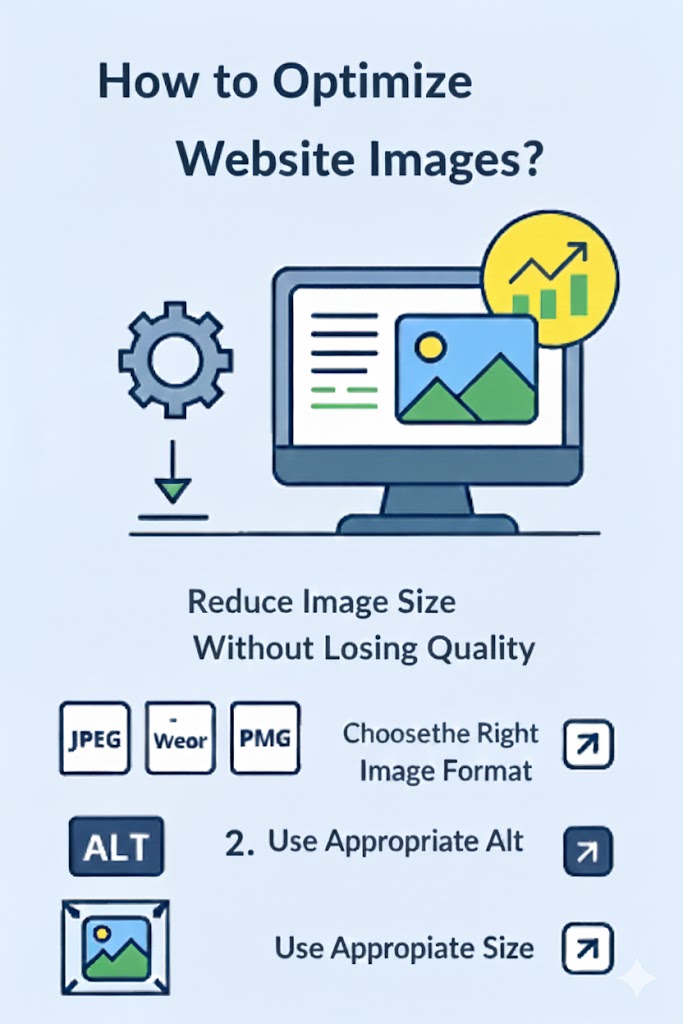
How to optimize your website images?
Images, as one of the key elements in website design, should be optimized to help improve page loading speed and also be understandable for search engines. Image optimization involves several aspects, including reducing file size, choosing the correct format, and using appropriate tags.
Reducing image size without compromising quality
High-resolution images can slow down website loading speed, which negatively affects user experience and search engine rankings. To compress images, various online tools can be used. Compression creates high-quality images with smaller file sizes that are suitable for use on websites. Tools like TinyPNG and ImageOptim are among the best image compression tools.
Tip: Always check the file size of images before uploading them to the site, and if necessary, use compression tools
Choosing the right image format
Choosing the right image format can have a significant impact on both the quality and speed of a website. Each format is suited for a specific purpose:JPEG: This format is the best choice for photos with a lot of detail. It also offers very good compression
PNG: This format is suitable for graphic images and images that require transparency.
WebP: One of the latest formats, WebP offers high quality while creating smaller file sizes compared to JPEG and PNG. Using WebP can improve website performance across different devices.
JPEG: This format is the best choice for photos with a lot of detail. It also offers very good compression.
PNG: This format is suitable for graphic images and images that require transparency.
WebP: One of the latest formats, WebP offers high quality while creating smaller file sizes compared to JPEG and PNG. Using WebP can improve website performance across different devices.
Tip: If your website contains images with transparent backgrounds, we recommend using PNG or WebP format to maintain quality.
Using the appropriate Alt tag
The Alt tag, or alternative text for images, is one of the most important aspects of image SEO. This tag should be descriptive and include relevant keywords related to the image. Search engines like Google cannot “see” images, so they use the Alt tag to understand the content of the image.
A good Alt tag should:
- Be descriptive and accurately convey the content of the image.
Appropriate examples:
alt="How to optimize images for website SEO"alt="Comparison of WebP and JPEG formats for the web"
Inappropriate examples:
alt="Image"alt="seo seo seo image optimization seo"
Using the Right Size
Image size directly affects website loading speed. Images should be optimized according to the site’s needs and the display requirements for different devices. Tools like Photopea or Pixlr can be used to resize images.
Additionally, it is important to use responsive image features to ensure that images display properly on different screen sizes.
Optimizing Images for Mobile
Given the growing use of mobile devices, optimizing images for mobile display is essential. Images should be designed to look good on all devices (such as smartphones, tablets, and desktops). Features like srcset and sizes in HTML help ensure images load correctly on various devices.
Naming Images for Google
Proper image naming not only helps search engines better understand the content but also impacts the overall SEO of the site. Instead of using default or random names like IMG1234.jpg, it’s better to name images descriptively and include relevant keywords.
Good Examples:
seo-image-optimization-guide.jpg
best-seo-practices-for-images.jpg
This method not only helps Google index the content of the image, but it can also attract more traffic from image search results.
Best Image Format for Websites
Choosing the right image format is crucial. Each format has its own features and benefits, which can be used depending on your needs:
- JPEG: Suitable for images with lots of detail. It offers smaller file sizes while maintaining quality.
- PNG: Ideal for images with transparent backgrounds and graphics like logos.
- WebP: A newer format designed especially for speed and smaller file sizes. It can provide both high quality and low file size simultaneously.
Image SEO in WordPress
For image SEO in WordPress, you must first ensure that SEO plugins are correctly installed and configured. Plugins like Yoast SEO and RankMath help you easily add Alt and Title tags to your images. It’s also recommended to use plugins like Smush or ShortPixel for image compression.
Online Image Compression Tools
Using online compression tools to reduce image size without losing quality is one of the best ways to optimize images. There are many free tools available that you can use:
- TinyPNG: One of the best tools for compressing PNG and JPEG files.
- Squoosh: This tool supports multiple image formats and is very useful for compressing them.
- ImageOptim: A free tool for compressing images while maintaining excellent quality.
What is Image SEO?
Image SEO refers to the actions taken to optimize images so they are better indexed in search results. These actions include using Alt and Title tags, choosing the appropriate format, optimizing image size and resolution, and also utilizing image sitemaps to help with indexing.
The Impact of Images on Google Ranking
Images cannot directly improve your website’s ranking, but they can indirectly impact your rank by enhancing user experience, increasing user engagement, and driving traffic from Google Image Search. Therefore, image optimization plays a crucial role in your overall SEO strategy.
Title and Alt Tags in Image SEO
The Alt and Title tags are highly important in image SEO. While the Alt tag is more useful for search engines and accessibility, the Title tag helps users gain more information when they hover over an image. These tags should be written accurately and descriptively, and excessive keyword stuffing should be avoided.
Image Sitemap
If your site contains a large number of images, you can use an Image Sitemap to assist search engines in indexing the images. An image sitemap helps search engines index your site’s images more quickly and accurately.
Displaying Images in Google Search
In order for your images to show up in Google Image Search, you need to optimize them properly. Using descriptive Alt tags, choosing the right format, and reducing the size of your images can help them show up in Image Search.
Conclusion
Image optimization is an important part of SEO that has a huge impact on site speed and user experience. By following tips like Alt tags, choosing the right format, reducing image size, and using an image map, you can improve your site’s ranking and attract more traffic. Remember that image optimization is just one part of the overall SEO process, but it can have a significant impact on the final result